Vendor Onboarding
PaymentWorks registration is REQUIRED in order to receive payment from Columbia University. PaymentWorks is the vendor onboarding and management system used by Columbia to invite vendors who are new to the University or existing vendors who have not yet completed the PaymentWorks onboarding process. Vendors will receive an invitation to register from Columbia (Payment Works) and will be able to enter your information safely and securely.
Candex Resources
Forms & Training Materials
- Off-Campus Event Pre-Approved Vendors
- Hotel and Event Contracting Guidelines
- Scope of Work
- Non-Profiled Payee Travel and Business Expense Worksheet
- Columbia Promotional/Internal Vendor List (2026)
- Please register all trips abroad with Crisis24.
- List of non-reimbursable items
- Honorarium Template
- Setting Up Your Concur Profile
- Creating Concur Expense Reports
- Viewing Expense Reports
- Adding Concur Delegates
- Setting Concur Email Notifications
- Submitting Missing Receipt Declarations
- Setting Up A Per Diem
- Itemizing Lodging
- Downloading Concur Mobile Apps
- Saving ChartString Allocations as a Favorite
- Viewing Approval Status of Expense Report
- Entering Payment Method
- Filing Out the Vendor Questionnaire
- Paying WTI for Travel Arrangements
- Making Foreign Payments Compliance Training
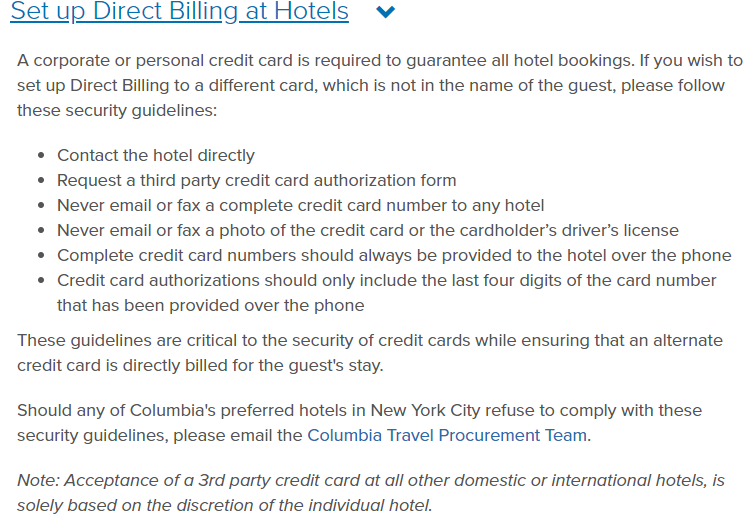
- Setting Up Direct Payment With a Hotel
- Expensing Group Meals
- Itemizing a Meal Expense
- Installing the Concur Mobile App (Non Travel)
- Installing the Concur Mobile App
- Adding a Travel Allowance Itinerary to a Travel Expense Report (Per Diem)
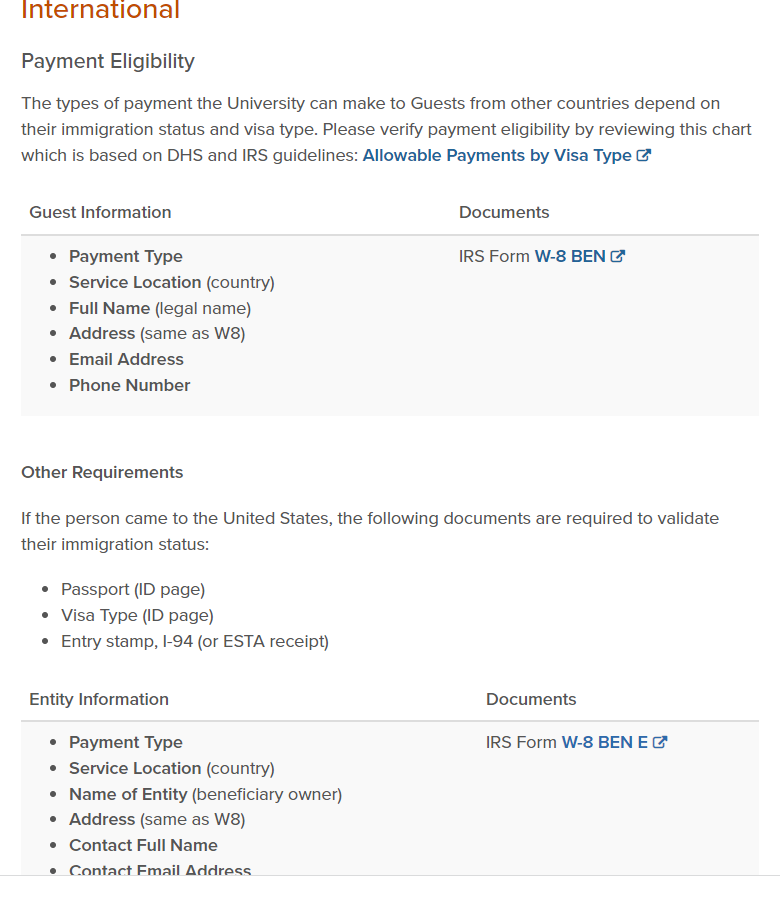
- Required Vendor Information (Domestic and Foreign; Individual and Organizational)
- Adding a Travel Allowance Itinerary to a Travel Expense Report
- Itemizing Hotel/Lodging in a Travel Expense Report in Concur
- Booking Rail
- Expense Report Approval Workflow
- Concur Checklist